No replies#
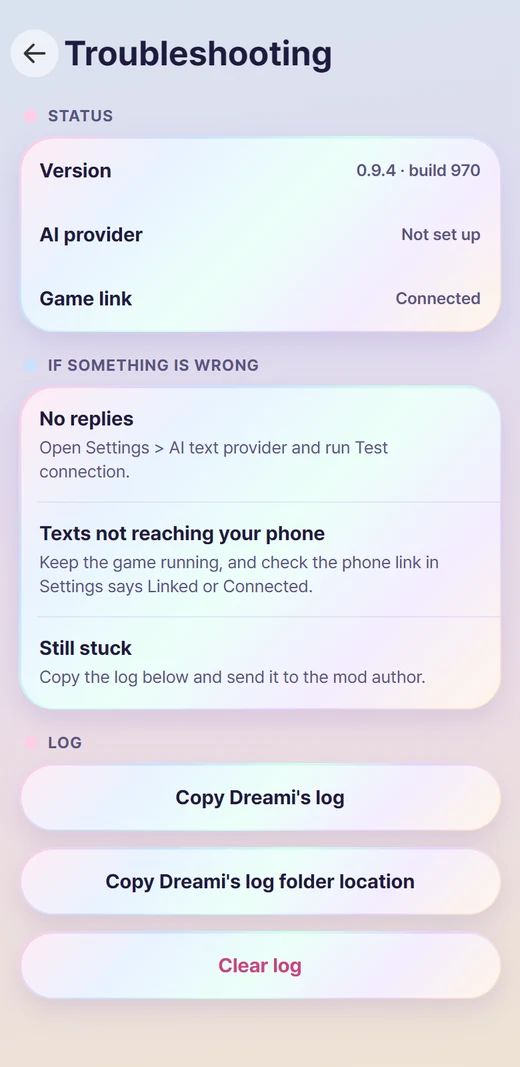
- Open Settings > AI text provider and tap Test connection.
- Downloaded from CurseForge, on Dreami AI: check that the key card in Settings > AI text provider says Key accepted. In use., and what Messages today shows.
- Downloaded anywhere else, on Dreami AI: check you are linked in Settings > Patreon and look at your limits there.
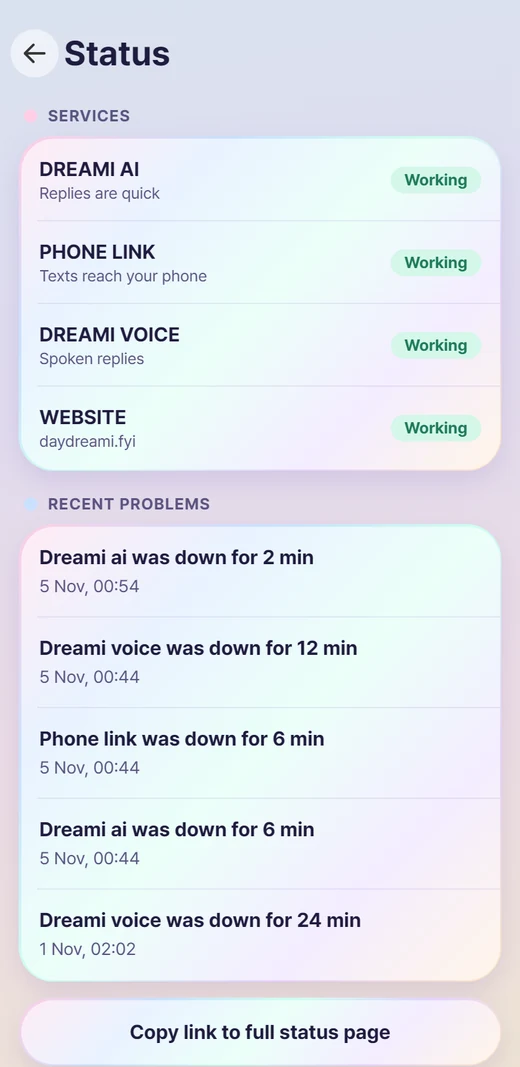
- Check the status page in case Dreami AI is down.
"Not delivered"#
The text didn't get through. Tap it to try again. On Dreami AI it tells you why: a key that expired, a used-up allowance, a busy server or no connection.
A Zoi doesn't answer#
- They may be asleep, busy or not in the mood. Texts wait and they look again when they are awake.
- They may have left you on read. Upset, cold with you or in a strong mood, a Zoi may take a while.
- They may have blocked you. Your texts then show a red "!".
- They may be in jail. Texts and calls don't reach them until they are out.
- Babies, toddlers and children don't have phones.
Texts not reaching the phone app#
- Keep the game running, and check Settings > Game link says Linked or Connected.
- Turn on Stay connected in the background, and set Dreami to Unrestricted in the phone's battery settings.
Dreami's icon is missing or covered#
Dreami's icon only shows on the phone's home screen, after your last app. Check these, in order:
The icon is there but nothing opens#
Dreami's icon should open on the first tap, at any screen size. If it does nothing, check these:
- Dreami should be installed once, in
Documents\inZOI\Mods\InGame. Remove any copy left in the regularModsfolder. - The folder directly inside
InGamemust be called DayDream_763BB5E0, withuiandluainside it. Windows can put it inside another folder named after the zip: move it up. - Your game version should match the one on the Download page. After a game update, mods can be switched off until they are updated.
Waiting for a free spot#
All free spots are taken. You're on the waitlist; keep following on Patreon and open Dreami now and then, and it links you when a spot opens.
Still stuck#
In Settings > Troubleshooting tap Copy log, then paste it into the report page with a description of what happened. The log hides your Windows user name and keys, but it can still hold parts of your chats, so read it before you send it.
Can't open Dreami? The log is also saved as two files you can upload on the report page instead. Close the game, then open this folder in File Explorer: Documents\inZOI\Mods\InGame\DayDream_763BB5E0\ui\phone\log
Upload both: debug_log.cfg has the newest lines, and debug_log_prev.cfg has older ones. Both open in Notepad. If your Documents folder is on OneDrive, it's under OneDrive\Documents\inZOI instead.