
Wiki / The Android app
The Android app
Install it, link it to your game, and what it does with the game closed.
android-app.md_+x
The Android app is the same Dreami, on your phone. It talks to your game through a private link, so you can text and call your Zois away from the PC.
Install and link#
1Download the app from the Download page and install it. It is only on daydreami.fyi.
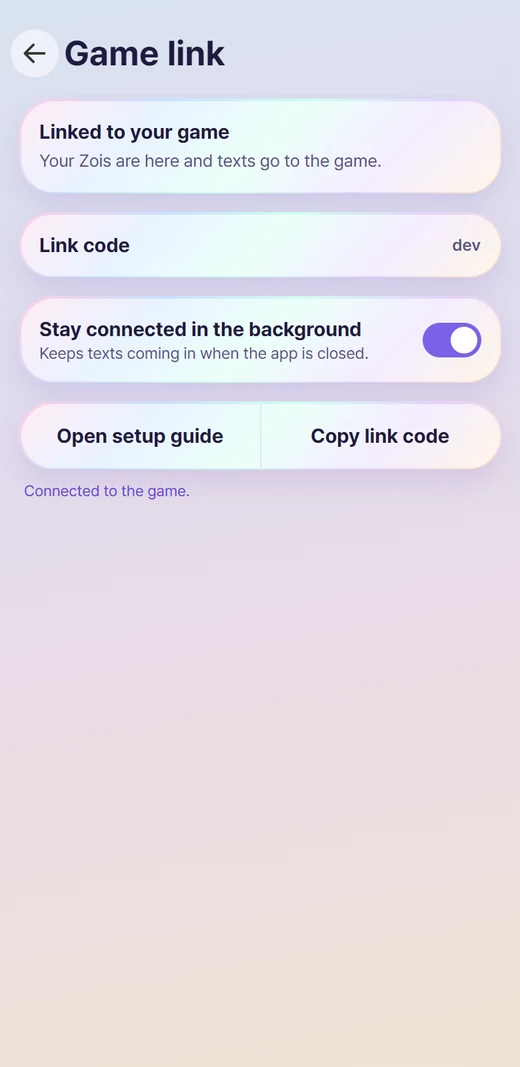
2Open the app. In Settings > Game link it shows a link code.
3In the game, open Dreami > Settings > Phone app, type the code and tap Link phone.
4The phone shows Linked and your Zois appear.
NoteThe code works once and expires after 10 minutes. A new one appears by itself.
See it work#
This is what the two screens look like, and where the code goes. The code below is an example only.
on-your-phone.app_+x
On your phoneSettings > Game link
K7M2QX9P
Works once, expires in 10 min (example code)in-the-game.app_+x
In the gameSettings > Phone app
Link codeK7M2QX9P
Link phoneWhat it does#
- Text your Zoi and other Zois, with the same chats as in the game.
- Voice calls, which only work in the app. See Voice calls.
- Notifications for new texts and calls.
- Call on your Zoi's card, to talk with them out loud, and on every contact's card.
- Settings > Appearance picks Light or Dark, the same setting as in the game. It stays through screen changes, the tour, a restart and a closed game, and the phone's bars follow it.
- Offline mode: with the game closed, you can still read your chats and memories. Texts you send wait and go out when the game opens.
Dreami AI on the phone#
The phone uses the game's Dreami AI, so you never sign in or paste a key twice.
- Downloaded anywhere else: once linked with Patreon, the phone uses the key the game got from Patreon. Connect Patreon on the phone checks the game first and only links by itself when the game has no working key.
- Downloaded from CurseForge: the key you pasted in the game reaches the phone over the link, and a new key follows by itself. Settings > AI text provider on the phone shows a Usage card: Messages today and Voice minutes, each with when it resets.
Keeping it connected#
Turn on Stay connected in the background in Settings > Game link to keep the link alive when the app is closed. If texts arrive late on your phone, open its battery settings and set Dreami to Unrestricted.
To unlink, use Forget this link on the same screen.
If it won't link#
- The game has to be running Your Zois live in the game, so texts and calls only work while it is open. Start the game and the phone connects by itself.
- "That code is not right" Check the code on the phone and type it again. It is 8 letters and numbers with no spaces.
- "That code ran out" Codes last 10 minutes. The phone makes a new one by itself, so use the one it shows now.
- Start over any time In the game, tap Unlink in Settings > Phone app. On the phone, tap Forget this link. Then get a new code.